Emoticons, Emoji, and Stickers: What’s the Difference?
Suppose you type, “I had a really great time today :)” while writing a blog post. After you click Publish, that text might appear as a small smiling face—or it might turn into a large character illustration.
Both look like smiling expressions, but they are created in fundamentally different ways. Understanding the distinction makes it much easier to decide what to add as text and what to insert as an image in WordPress.
- Even a simple smiling face can go by different names
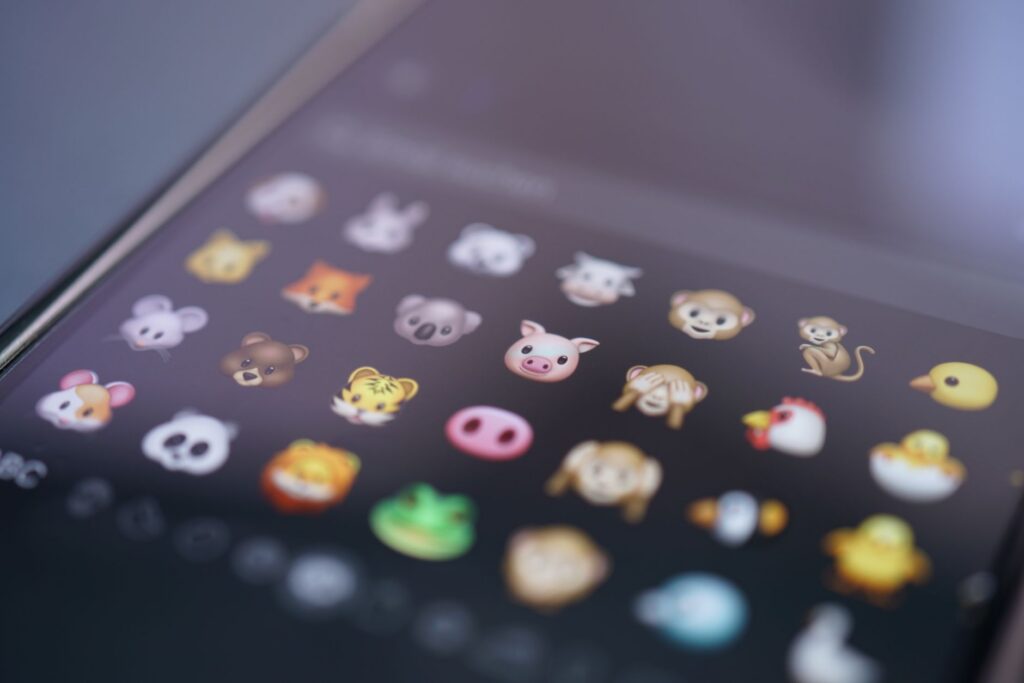
- The bumpy face on a phone keyboard is an emoji
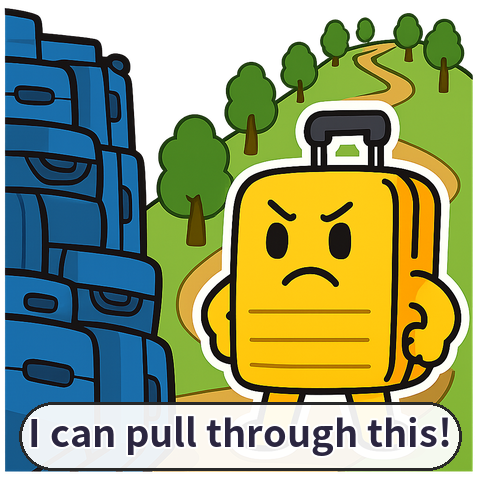
- When a character appears large and starts talking, it is a sticker
- Why the word “emoticon” keeps causing confusion
- A simple way to tell them apart at a glance
- What should you choose for WordPress?
- Three things to check before using them
- The most important difference is not appearance but how they are delivered
- WordPress Plugins
- Frequently Asked Questions
The oldest of the three is the emoticon. The word “emoticon” combines the English words for “emotion” and “icon.” Originally, it referred to facial expressions made by stringing together characters such as colons and parentheses.
For example, 🙂 represents a smiling face, while 🙁 represents a sad one. A computer does not interpret these as image files; it sees several punctuation marks placed next to one another.
This approach mattered quite a bit on early internet message boards. Uploading photos was difficult and connections were slow, so pressing a few keys to convey a mood was the lightest-weight option.
Traces of this system remain in WordPress. According to the official WordPress documentation, its built-in features can convert certain character combinations into small smiling images when displayed.
That said, the word “emoticon” is used more broadly in Korea. Character bundles sold through KakaoTalk are also called emoticons, so in everyday conversation the term is often used to cover emoji and stickers as well.
Even a simple smiling face can go by different names
Emoji are symbols that are entered like text but look like pictures. According to the Unicode Consortium, emoji are pictographic symbols that can appear within text, and computers and phones process them as one or more character codes.
Examples include 😀, 🍕, 🚲, and 🌧️. Emoji can represent far more than faces, including food, animals, weather, places, and activities.
Here is a surprising detail: emoji are not image files created by one particular company. They are closer to a standardized character system designed to be exchanged across different devices.
That is why the same emoji may look slightly different on an iPhone, an Android phone, and a Windows computer. It is a bit like different artists drawing the same person with different expressions and colors.
The Unicode Consortium defines emoji names and the ways they can be combined, but it does not standardize the artwork itself. Device manufacturers and font designers display each symbol in their own visual style.
The meaning of an emoji is not always fixed, either. The Unicode Consortium explains that emoji can take on different meanings depending on the language, culture, and context of a conversation.
For example, 🙏 can mean prayer, gratitude, a request, or a greeting. In important notices, it is therefore safer to include a brief explanation rather than relying on an emoji alone.
The bumpy face on a phone keyboard is an emoji
Stickers can appear between lines of text like emoji, but technically they are closer to images. Unicode documentation sometimes uses the word “sticker” alongside “emoji” when describing emoji artwork.
On most services, a sticker is an image showing a character crying, clapping, waving, or performing some other action. Stickers are larger and more detailed in their expressions and movements than emoji, which are designed to fit within a single character space.
Emoji blend naturally into a sentence, as in “Thanks 😊.” A sticker, by contrast, might appear as a separate image beneath the words “Thanks,” showing a character with its hands clasped.
Naver Blog’s customer support center likewise describes stickers as something users select from the writing tools and drag into the body of a post. On Naver Blog, users can also purchase character stickers separately.
This is one reason KakaoTalk emoticons have become so popular in Korea. More than a simple face, a familiar character’s speech patterns and gestures can convey an emotion in much greater detail.
The sentence “It’s okay” can come across as cold on its own. But if a familiar character sends a sticker wiping away tears and nodding, the same words can feel comforting.
When a character appears large and starts talking, it is a sticker
The problem is that these three terms are used differently from one service to another. Technical documentation often defines an emoticon as a combination of characters, while Korean messaging apps and blogs may use the word for image-based character products as well.
So saying “Please add an emoticon” is not specific enough. First clarify whether the person wants a small text-based emoji or an animated character image.
Why the word “emoticon” keeps causing confusion
- Emoticon: a facial expression made from characters, such as :-).
- Emoji: a standardized pictographic symbol entered like a character.
- Sticker: a character image added like a separate picture file.
- Emoticon product: a bundle of stickers sold by a service.
This is less a perfect dictionary definition than a practical guide to how the terms are used. In Korean-language environments especially, it helps to remember that “emoticon” often functions as a broad umbrella term.
A simple way to tell them apart at a glance
For most WordPress posts, emoji are the easiest option to use. They fit neatly into a sentence, are easy to copy and search, and do not require you to manage separate image files.
For example, you might use 🍳 in a recipe post, 🧳 in a travel article, and ⚠️ where a warning is needed. Readers can quickly grasp the mood or subject of a piece before reading the full explanation.
But using too many emoji can make a post feel frivolous. If you add several to every headline or fill each sentence with colorful faces, the distinction between important information and decoration begins to disappear.
Stickers are useful for emotion-driven writing or for building a personal brand. If you create a signature character and consistently use it in scenes involving greetings, thanks, warnings, and encouragement, visitors may come to remember that character as the face of your blog.
In an informational article, however, an oversized sticker can interrupt the reading flow. If several large images appear on one screen, mobile readers have to keep scrolling just to get through the text.
WordPress 4.2 began offering built-in support for emoji and various extended characters in April 2015. Its database support was also updated to accommodate a wider range of characters, laying the groundwork for using emoji in WordPress.
That does not mean emoji will look identical on every device. Their appearance can vary depending on a visitor’s operating system and fonts, so it is worth checking a post on both a phone and a computer after publishing.
What should you choose for WordPress?
- Use small emoji only where they help convey the meaning of a sentence.
- Check sticker dimensions against the content width and mobile screen.
- Add alt text to images and consider visitors who use assistive technology.
Pay particular attention to file size when uploading stickers as images. If a cute illustration is unnecessarily large, the page may load slowly—and visitors may leave the site before they ever see the character.
Three things to check before using them
The simplest way to distinguish emoticons, emoji, and stickers is to ask: “Is it a character or a picture?” If it is a combination of characters, it is closer to an emoticon; if it is a standardized symbol entered like text, it is closer to an emoji.
If it is uploaded as a file, resized, and repositioned, it is closer to a sticker. Knowing the difference also helps you communicate your requirements clearly when choosing a plugin or commissioning design work.
Copyright is another easy point to overlook. Saving a character image you like from the internet and uploading it to WordPress is not the same as having permission to use it freely.
Even images labeled “free” should be checked to see whether commercial use, modification, and redistribution are allowed. In particular, the fact that a famous character or messaging sticker can be used in a private conversation does not mean it can be reposted on a blog.
Recent platform changes are worth watching, too. Tistory announced that it will discontinue stickers in its image editor and emoticons in its writing editor from August 26, 2026.
The example shows that decorative features do not necessarily remain available on a service forever. Rather than relying solely on platform buttons, WordPress administrators are better off managing essential images themselves and preparing alternatives.
Ultimately, good usage is not about adding as much as possible. It is about choosing the right format in the right places so readers can grasp the emotion of a post more quickly, remember the writer’s tone, and read without distraction.
The most important difference is not appearance but how they are delivered
Q. Are emoji and emoticons the same thing?
A. They are often used interchangeably in everyday conversation, but technically they are different. An emoticon is typically an expression made from characters, such as :-), while an emoji is a standardized pictographic symbol entered like text.
Q. Are KakaoTalk emoticons actually emoji?
A. They are generally closer to stickers than to emoji. They are bundles of character images sold within the service, and they work differently from emoji, which are exchanged as character codes.
Q. Should I use emoji or stickers in a WordPress post?
A. Emoji work well for brief emotional cues or topic labels. If you want to create a distinctive character and connect with readers in a friendly way, stickers may be a better fit—provided you check their size and copyright status.
Q. Why do emoji look different on different devices?
A. Unicode determines which symbols can be exchanged, but the actual artwork is designed by the device and operating system. As a result, the same emoji may vary slightly in color, expression, or pose.
Q. Should sticker images include descriptions?
A. Yes. Add brief alt text describing the image’s meaning so visitors who listen to content or use screen readers can understand it as well.
WordPress Plugins
Frequently Asked Questions