From Text Emoticons to Character Stickers: The Evolution of Digital Expression
You leave a comment saying, “Great post,” only to get a reply saying it came across as cold. So people began adding a smiley face to the end of their sentences. Just three tiny symbols had changed the temperature of the conversation.
Today, we move naturally between text emoticons, pictorial emojis and character stickers. Familiar from Naver Blog, Tistory and KakaoTalk, these tools are now finding a place in WordPress writing too, helping bloggers capture and hold readers’ attention.
Three characters changed the face of online conversation
On September 19, 1982, Carnegie Mellon University professor Scott Fahlman proposed using 🙂 on an electronic bulletin board to mark a joke. Without vocal inflection or facial expressions on screen, it was difficult to tell a serious post from a humorous one.
The idea was simple. The colon was the eyes, the hyphen the nose and the parenthesis the mouth. Tilt your head slightly and a smiling face appeared; in contrast, 🙁 conveyed discomfort or sadness.
What may be surprising is that the symbol was never intended to be a pretty picture in the first place. Its purpose was to reduce misunderstandings.
On bulletin boards filled with text, 🙂 was a small safeguard—a sign saying, “I’m not trying to attack you with this comment.”
How did text symbols become colorful emoji?
Over time, people combined parentheses and other symbols to express a wider range of emotions. Laughter, embarrassment, tears, winks and surprise could all be built from a few characters and added to a conversation.
But as phone screens grew smaller and messages became shorter, a new approach was needed. Japan’s mobile communications industry developed pictorial characters that could be understood quickly, even on a small screen.
According to the Unicode Consortium, these pictorial characters began entering international character standards in 2009 and were organized more broadly in Unicode 6.0 in 2010. The goal was to ensure that people using devices in different countries could read the same characters.
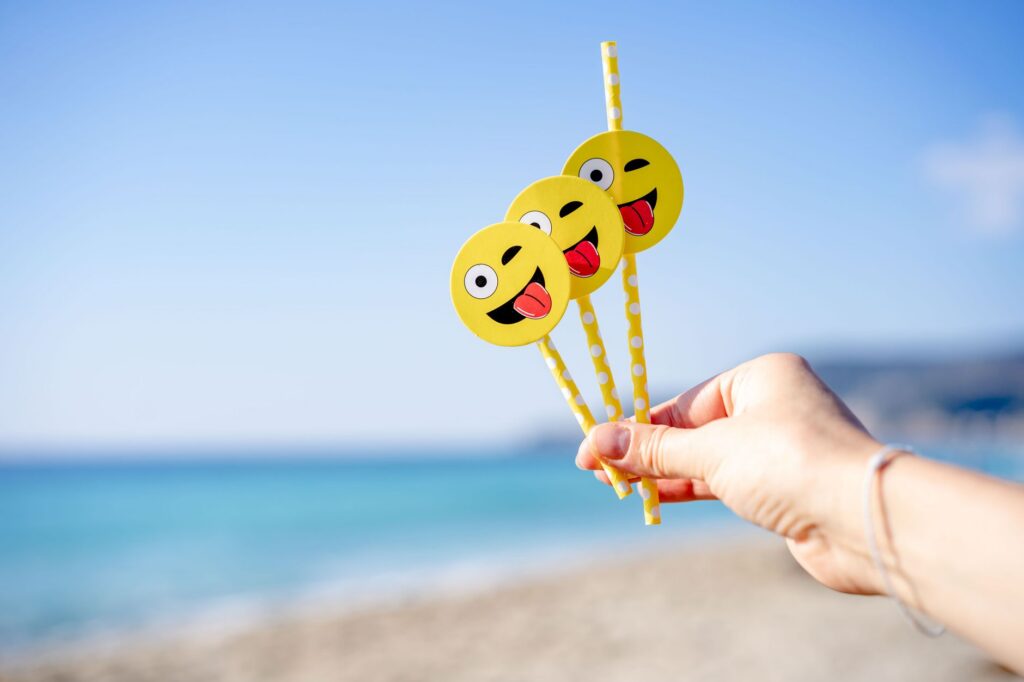
The shift brought an important change. With 🙂 , the reader had to interpret a shape; with 🙂, the expression appears at a glance.
Unicode 17.0, released in September 2025, treats emoji as an international standard at the intersection of text and images. The artwork may vary across phones and operating systems, but each emoji is designed to share a basic meaning.
Emoji do not replace writing; they fill in what writing leaves unsaid. That is why “I understand” feels softer with 🙂 and slightly awkward with 😅.
Stickers show emotions instead of simply describing them
If emoji are small words, character stickers are closer to short scenes. A single image can show someone bowing in apology, throwing both hands in the air with joy or refusing to budge from beneath the covers.
LINE launched its service on June 23, 2011, and quickly expanded its user base after adding emoji and sticker features. In material released in 2020, LINE said that more than 8.55 million sticker sets had been purchased worldwide and that an average of 433 million stickers were sent each day.
Viewed only through the numbers, this may look like a story about a major market. But the real significance lies less in the money than in the way people communicate.
Typing “Thank you” takes a few seconds, while sending a sticker of a grateful character bowing takes a single tap. Even feelings that are difficult to explain in words can be conveyed through a character’s posture and expression.
KakaoTalk characters, the animated images often seen on Naver Blog and the visual elements added to Tistory posts all belong to the same larger trend. Readers are not simply reading the words; they are also interpreting the expressions and scenes chosen by the writer.
Add a character, and the writer’s face begins to emerge
The power of character stickers extends beyond emotional expression. A character that appears repeatedly can become the face of a blog.
Imagine, for example, that a small cat holding a cup of coffee appears at the beginning of every post. At some point, readers begin to see the cat as an alter ego for the writer. The writer’s tone and the character’s expression combine to create a distinctive atmosphere.
It is much like a sign above a shop. Just as the color and shape of a sign influence a store’s first impression, the same information can feel more welcoming or less so depending on the character placed alongside it.
That said, adding more characters does not automatically make a post better. If an image appears between every sentence, readers may struggle to distinguish important information from decoration.
The most effective approach is to place stickers where the emotional direction of the writing changes. Good moments include the point where an explanation ends and empathy is needed, when discussing a mistake or caution, and when encouraging readers to take action.
- Use a lighthearted expression at the beginning to give readers a reason to keep reading.
- After a difficult explanation, add a scene that suggests understanding or agreement.
- Avoid overly playful images alongside warnings or other serious points.
- End by leaving readers with an emotion and an action to remember.
WordPress also requires an approach to emotional expression
According to the official WordPress documentation, the default settings can convert typed text smileys into graphic images. In other words, characters such as the old-fashioned 🙂 can automatically appear as small images.
The feature connects an older form of expression with today’s screens. Writers can enter a simple symbol, while readers see a more familiar facial expression.
To use character stickers in WordPress, you can insert image files into a post or use the block editor and plugins. The first thing to consider is the size of the image.
A character that is much larger than the body text will pull readers’ attention away from the article. If it is too small, its expression may blur on a phone and lose its meaning.
File size matters too. A page containing several large images may load slowly. Visitors may close the page before they ever see the characters.
In WordPress, then, it is worth checking these four points together.
- Is the image large enough for its expression to remain visible on a phone?
- Does it help convey the meaning of the text?
- Is it light enough not to slow down the page?
- Is it an image whose usage rights are clear?
Be especially careful about copying familiar characters directly from other services. Well-known characters often require permission for use.
One advantage of WordPress is that it is not confined to the interface of a particular messaging app. Blog owners can choose their own colors and artwork and build a consistent atmosphere over time.
The best emotional tools never get in the way of the writing
The history of emotional expression tools began with small symbols and expanded into international characters and animated figures. But the purpose has changed very little.
It is still about helping others understand how our words are meant to feel—and conveying the writer’s emotions a little more accurately.
When writing a WordPress post, it is usually best to finish the sentences first and choose the images afterward. If the writing is weak and characters are added too soon, decoration can end up standing in for substance.
When the key sentences are clear, however, a single emoji or sticker can bring the article’s emotional temperature to life. Readers gain information while also feeling that “this post is speaking directly to me.”
The evolution from text emoticons to character stickers reflects more than technological progress. It shows that even on a screen, people still want expressions and gestures.
That makes the standard for using characters in WordPress simple: the question is not whether they make the page look bigger, but whether they help readers feel the message more clearly.
Frequently asked questions
Q. What is the difference between a text emoticon and an emoji?
A. A text emoticon is a facial expression made with keyboard characters, such as :-). An emoji is represented by a single pictorial character, and its appearance may vary depending on the device and operating system.
Q. Is it okay to use a lot of emoji in a WordPress post?
A. Used appropriately, emoji can soften the tone of a post. Too many, however, can bury the key points, so it is better to limit them to moments when the emotional direction of a paragraph changes.
Q. Can I use character stickers in WordPress?
A. You can use artwork you created yourself or images for which you have permission. For famous character images downloaded from messaging apps or search results, check the copyright and usage terms first.
Q. What should I do if a sticker looks distorted on a mobile screen?
A. Choose an image whose expression remains visible at a small size, and reduce files that are unnecessarily large. Before publishing, check how the post actually appears on a phone.
Q. How do I choose a character that suits my WordPress blog?
A. Match it to the blog’s subject and the writer’s tone. Repeating one or two expressions and colors makes it easier for readers to remember the character as the face of the blog.
WordPress Plugins
- Three characters changed the face of online conversation
- How did text symbols become colorful emoji?
- Stickers show emotions instead of simply describing them
- Add a character, and the writer’s face begins to emerge
- WordPress also requires an approach to emotional expression
- The best emotional tools never get in the way of the writing
- Frequently asked questions
- WordPress Plugins