Differences between animated stickers and static stickers: production and usability
- Even when creating the same character, the methods used are different.
- Why do people want to bring movement to WordPress?
- In WordPress, it is generally advantageous to use a static configuration.
- The features are eye-catching, but they also come with increased production costs.
- If you try inserting it directly, you’ll see where the blockage occurs.
- Once the role is defined, the choices are quickly narrowed down.
- Using DecoBlocks to separate character text from reading flow.
- Frequently Asked Questions.
- WordPress-related plugins
While writing the post, Minseo paused, intending to decorate the welcome message with a character image. She was having difficulty deciding whether to include a single image or an image of a character waving.
Moving stickers are noticeable. However, in WordPress, being noticeable is not always enough.
The choice of which sticker to use should be determined by the sticker’s intended function and the environment in which it will be used.
Even when creating the same character, the methods used are different.
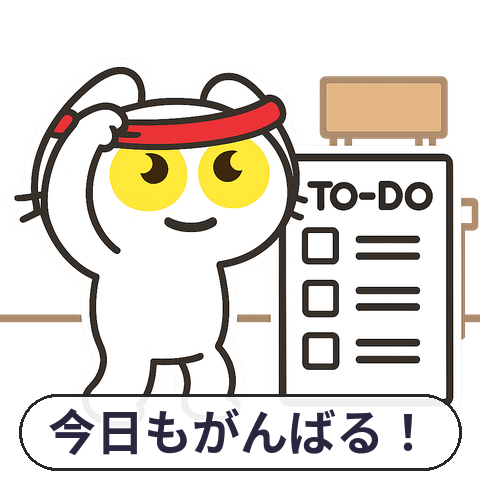
Still images are typically created as a single PNG or WebP file. Even if the character is smiling or raising their hand, their appearance remains fixed within a single frame.
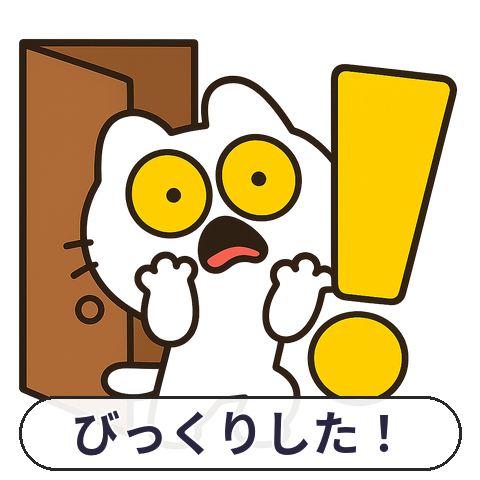
Animated stickers combine multiple scenes. They display a sequence of frames, similar to animated GIFs, WebP, APNG, or video.
Therefore, there is a difference from the production stage. For static images, only the expressions and positioning of the image need to be adjusted, but for animated formats, the movement of the character must be checked for each frame.
WordPress can preserve all frames of animated GIFs and WebP images during processing. However, if the image is reprocessed on the server, only the first frame may be converted into a static image.
The results are not the same from the beginning.
Why do people want to bring movement to WordPress?
It is natural to want to incorporate familiar character expressions from platforms like KakaoTalk or blogs into one’s own website. This is because they can show emotions such as greetings, applause, or surprise more quickly than a single image.
Kakao Emoticon Studio also operates a WebP animator for creating animated emoticons, separate from static image creation. Users can edit movement frame by frame within a 360×360 pixel workspace.
Now, choosing a character is not simply a matter of selecting an image. Even with the same character, you must decide whether to add movement and how long to repeat it.
At the same time, concerns arise. one may also wonder whether moving images will really be easier to see, and whether adding several of them will make the site difficult to read.
Instead of capturing attention, it demands focus.
To reduce movement while still including characters in the content, a method is needed to distinguish between the sticker itself and the text to be read. DecoBlocks’ “Insert Character Sticker” feature provides an option to insert character stickers from the installed sticker pack into the text, allowing for the placement of character expressions.
You can use the Highlight (yellow) feature for important sentences, which allows you to differentiate between character emphasis and body text. In the block editor, you can use the “Insert Sticker” block, and in the classic editor, you can use a shortcode.
In WordPress, it is generally advantageous to use a static configuration.
If you are using stickers in WordPress for basic information or repeated displays, static images are more suitable. Animated formats are best used only in short scenes where emphasizing emotion or directing attention is essential.
Consider situations where readers need to focus on a sentence for an extended period, such as in announcements, tutorials, or product descriptions. In these cases, if a character is constantly moving, the reader’s attention can repeatedly shift between the text and the image.
Conversely, if the goal is a momentary reaction, as with a welcome, movement can be helpful. Scenes of waving or clapping convey the feeling of action more quickly than still images.
Ultimately, the key issue is not expressiveness. It is the cost and the burden on attention that arises when the same sticker is repeatedly used in multiple posts.
Static stickers are the safer default.
The features are eye-catching, but they also come with increased production costs.
Animated stickers require the creation of frames and the arrangement of their sequence. As the scene becomes longer, the file size of each frame can increase, and the processing time is also longer compared to still images.
The official WordPress documentation also states that encoding animations takes longer than encoding still images, and that the resulting file size may be larger. In long animations, each frame may approach the size of the original file.
As the file size increases, the problem doesn’t end with the creator. The reader has to wait for the page to load, and they continue to encounter repetitive movements while reading the text.
Movement comes at a cost.
Converting a moving GIF to an MP4 or WebM video format can reduce the download size while maintaining a similar playback effect. However, this conversion does not always produce the same results in all environments.
If the browser lacks the necessary features, the original GIF image may be displayed as is. Transparent GIFs will not be converted to video format because video cannot reproduce transparency.
If you try inserting it directly, you’ll see where the blockage occurs.
The actual point where Minseo encountered the problem was not during the image selection stage. It was during the stage where she was checking whether the movement had disappeared after the file was uploaded, whether the image had become excessively large, and whether it appeared the same in different environments.
WordPress preserves the entire frame of an animation depending on the situation. However, if there are issues with server processing or memory limits, it may display a static sub-image instead.
When multiple moving images are placed, each one is repeatedly played. Even if the character is cute, if the entire screen is constantly moving, it becomes difficult for the reader to focus on the main text.
Another aspect that is often overlooked is readers who are sensitive to motion. The official WordPress guidelines instruct users to respect the operating system’s “Reduce Motion” setting, which controls the amount of animation displayed.
Therefore, when attempting to resolve issues directly, it is not sufficient to examine only one file. It is necessary to consider the role of the sticker, the file size, the number of repetitions, and the meaning that remains when the animation stops.
One file is not enough.
Once the role is defined, the choices are quickly narrowed down.
If your blog explains the content of posts or frequently displays characters, set static PNG or WebP as the default. You won’t have to manage frames separately, and image size and placement will be easier to predict.
If the goal is to draw the eye once, as with a welcome, applause, surprise, or a prompt to click, use short animations in only a few places. It is important to design the final frame so that it so that the meaning remains even after the animation has ended.
Even when including animated stickers, it is essential not to obscure the core sentences of the text. Readers should be able to understand the content even if they do not see the animation.
If a transparent background and predictable behavior across different browsers are important, first try using GIF or static WebP/PNG formats. For large animations, consider converting them to video format, but be sure to check the transparency and playback environment separately.
Minseo’s final choice was not to incorporate movement everywhere. She used static images for the main content and repeating decorative elements, reserving animation only for the short introductory sequence on the first screen.
That choice is the most realistic standard because it balances both production and usability.
If readability is the priority, choose a static image; if conveying action is the priority, choose a short animation.
Using DecoBlocks to separate character text from reading flow.
In various situations, what is needed is not a function that moves all the stickers, but rather an editing process that distinguishes between the space for placing characters and the content that needs to be read. DecoBlocks allows you to insert character stickers from an installed sticker pack using the “Insert Character Sticker” function, and it displays related content within a solid-colored box using the “Section Box (Solid)” function. In welcome scenes, characters can be placed, and for sections where explanations follow, such as “production,” “file size,” and “accessibility,” boxes or dividers can be used to visually separate the content.
DecoBlocks makes these decorations available in both the block editor and the classic editor, addressing the issue of adding text decoration effects without directly writing CSS. However, it cannot be described as a tool that determines the movement of stickers, file size, looping playback, or the “Reduce Motion” setting. Those aspects should be verified directly according to the criteria outlined in this article, and DecoBlocks is designed to handle character placement, emphasis, and sectioning within the text.
Frequently Asked Questions.
Q. Do animated stickers always stand out more in WordPress?
A. While movement can attract attention, repetition can hinder reading. It is best to use it sparingly, only to briefly emphasize emotions or actions.
Q. How many animated stickers should I use on my website?
A. Start with one or two short scenes that demonstrate emotions or actions. It is safer to use static images in areas that prioritize readability, such as announcements or explanations.
Q. Can this problem be easily solved using a tool? What kind of tool should be used?
A. You can use animation production tools and image/video conversion functions. However, do not rely solely on the tools; you must also check the movement, file size, transparency, and “Reduce Motion” settings within the actual WordPress interface.
Q. How can I use character stickers and text highlighting together in a post?
With DecoBlocks’ Insert Character Sticker, you can add characters, and you can use Section Box (Solid) or Highlight (Yellow) to divide explanations and emphasize key points.
A “Divider Line – Solid” can also be used between sections. However, movement, file size, repeat playback, and the “Reduce Motion” setting must be checked separately.